This guide walks you through setting up lead routing emails for your XML syndication feeds so that leads generated from listing portals reach the correct contact or department.
Step 1: Set Your System “Default Leads Email”
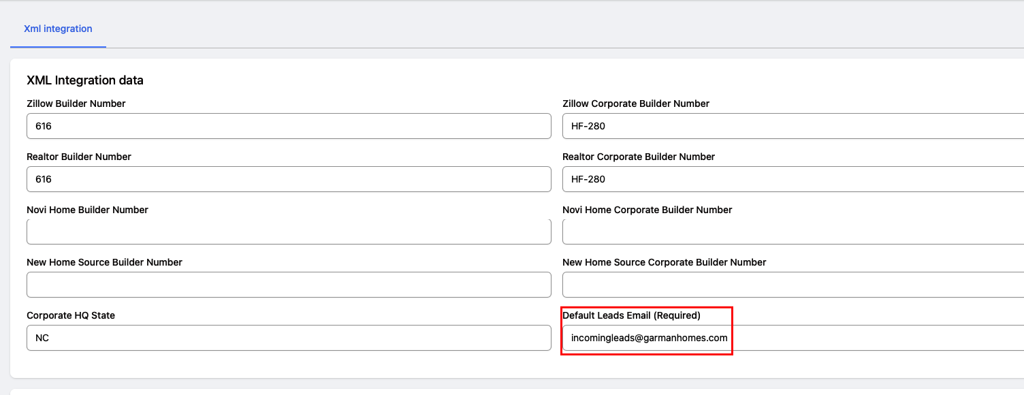
The Default Leads Email acts as the primary fallback for all XML builders.
- Navigate to Content Dashboard > General.
- Locate the Default Leads Email field.
- Enter the primary email address where leads should be routed by default (e.g., leads@yourcompany.com).
- Save your changes.
Note: The Default Leads Email is a (Required) field. Ensure a valid email address (user@domain.com) is set before configuring individual XML builders.
Step 2: Configure Builder-Specific Emails (Optional)
If you have specific builders or divisions that require leads sent to a unique email address, you can override the default setting:
- Scroll down to the XML Builders table and click + Add (or edit an existing builder).
- Locate the Builder Email field:
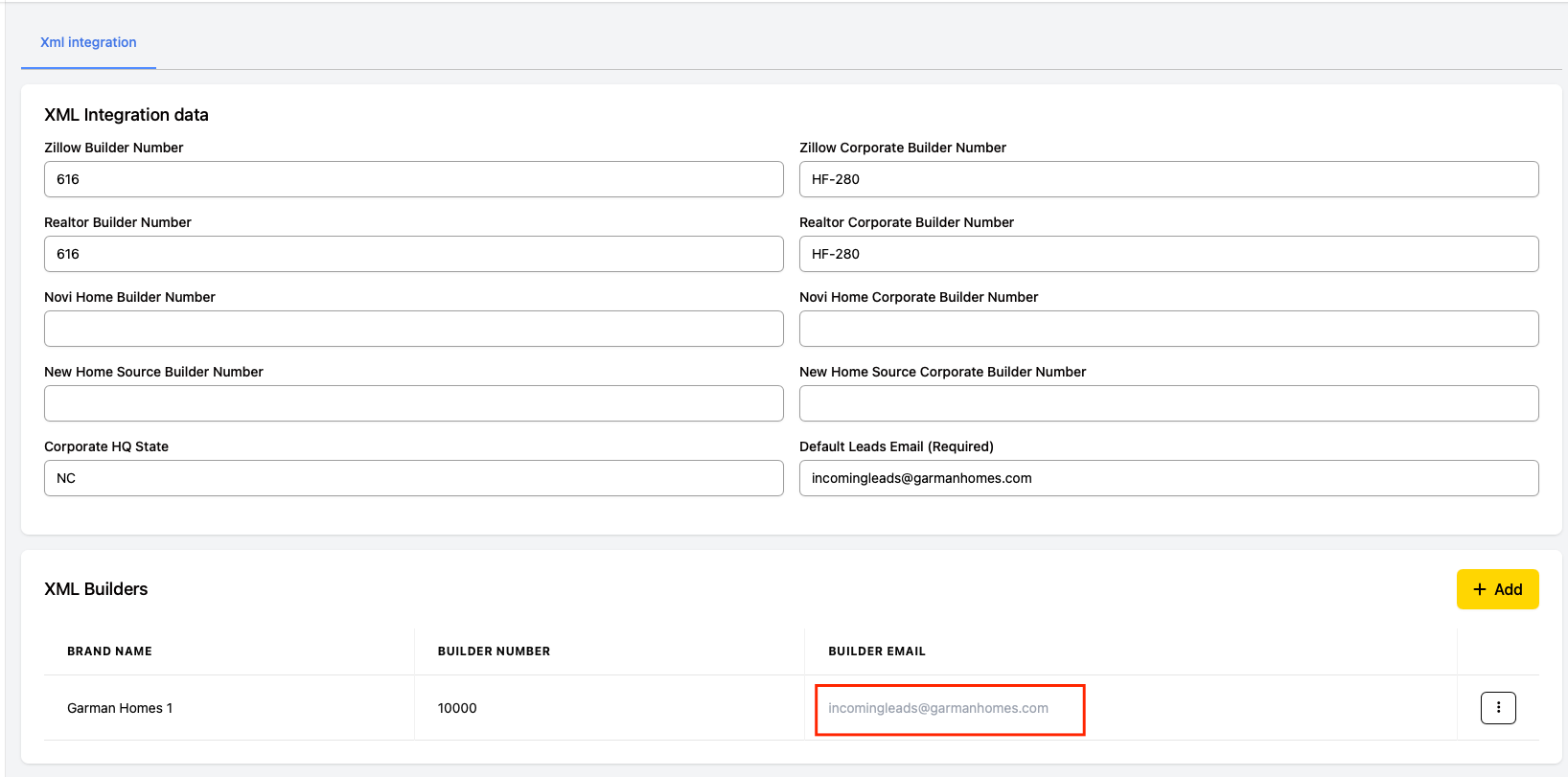
- To use the default email: Leave the field blank. It will display the system’s Default Leads Email as placeholder text and automatically route leads there.
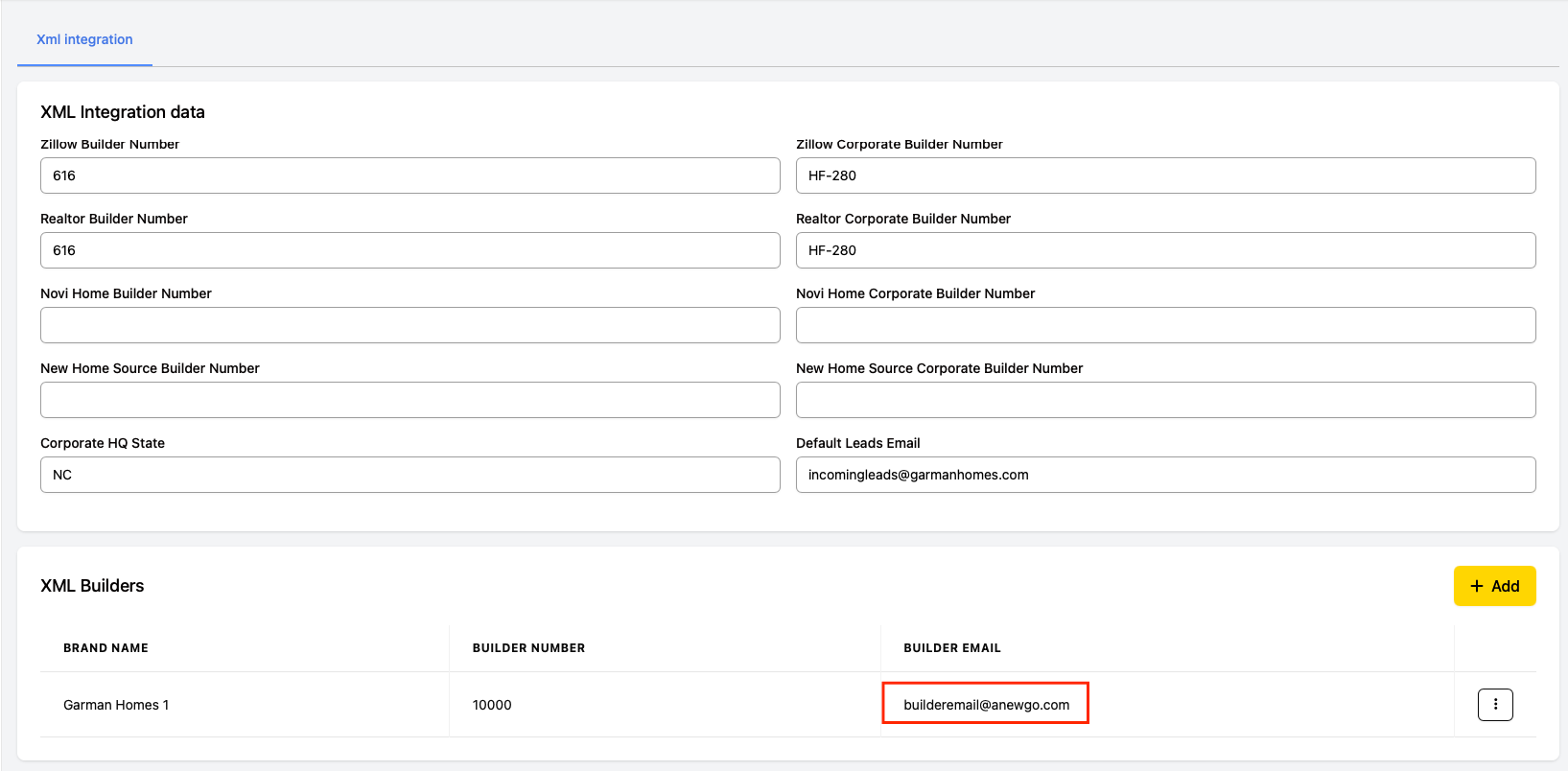
- To customize: Enter the custom email address for this specific builder.
3. Click Save.