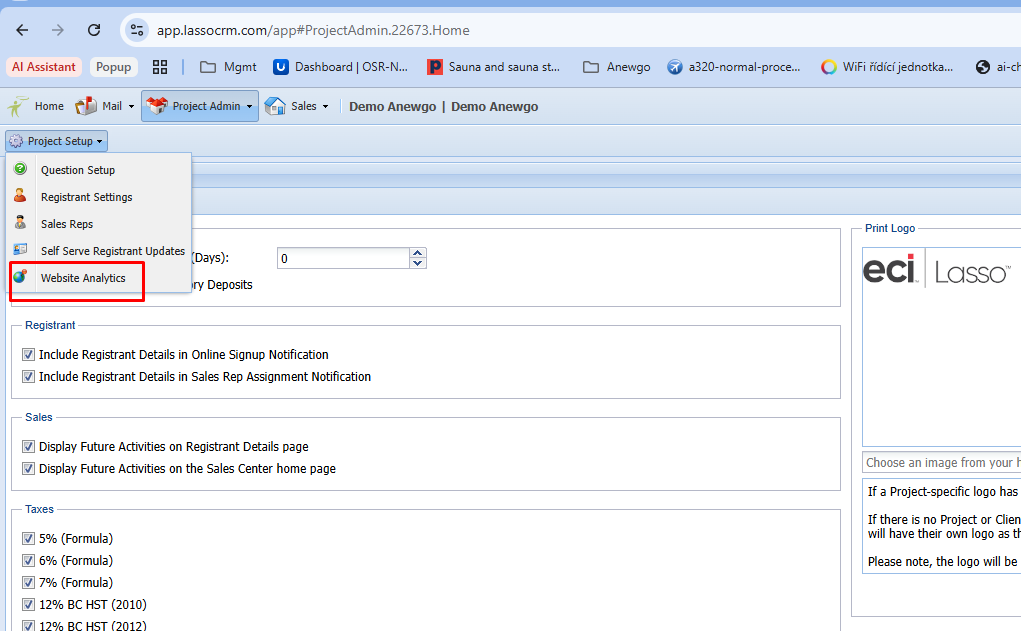
Lasso Set Up
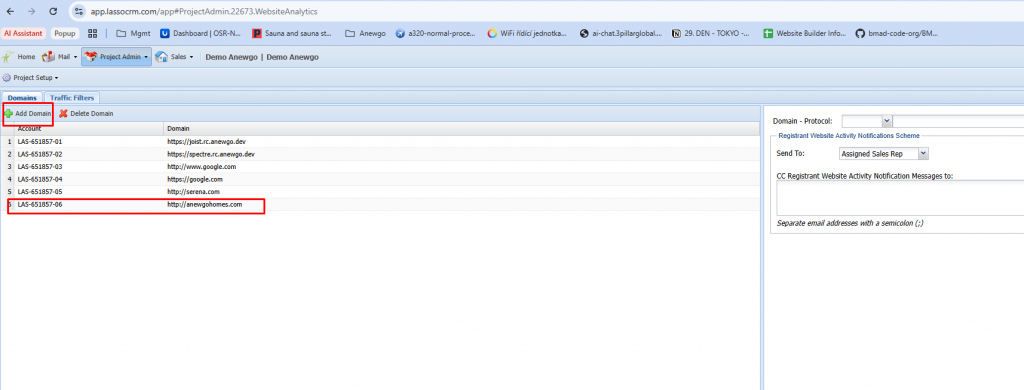
- Copy the Lasso Account ID associated with your domain (e.g. LAS-651857-06).
Website Setup
- Go to Website → Customize → SEO and then click Edit

2. Click + Add Script

3. Select Head in Placement dropdown

4. Copy the script from the Lasso tracking code above the </script> tag.
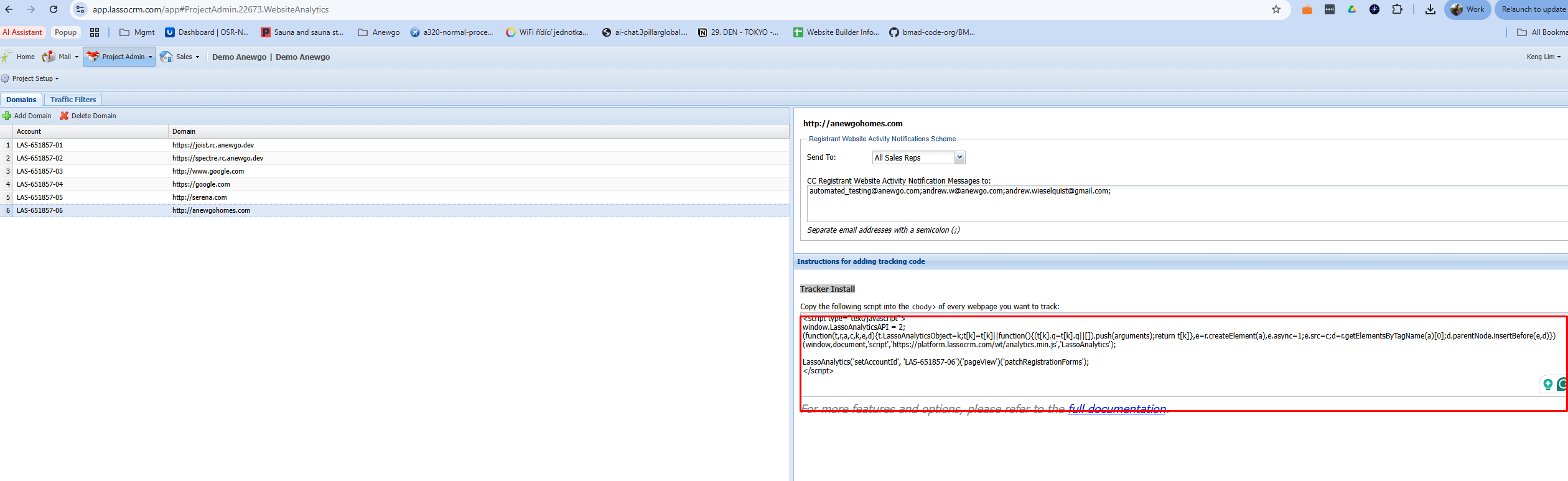
5. Append following code to the end:
// Anewgo lasso script - this needs to be added
var expires = "";
var date = new Date();
date.setTime(date.getTime() + (24*60*60*1000));
expires = "; expires=" + date.toUTCString();
document.cookie = "anewgo_lasso_account_id=LAS-651857-06" + expires + "; path=/";
const getLassoGuid = () => {
if (window.LassoAnalytics && LassoAnalytics.guid) {
document.cookie =
'anewgo_lasso_guid=' + LassoAnalytics.guid + expires + '; path=/'
} else {
setTimeout(getLassoGuid, 100)
}
}
getLassoGuid()
</script>
<!-- End of Lasso Analytics -->
6. Replace the Default Lasso Account (LAS-651857-06) with your Lasso Account ID.
7. The result appears as follows
<!-- Lasso Analytics -->
<script type="text/javascript">
window.LassoAnalyticsAPI = 2;
(function(t,r,a,c,k,e,d){t.LassoAnalyticsObject=k;t[k]=t[k]||function(){(t[k].q=t[k].q||[]).push(arguments);return t[k]},e=r.createElement(a),e.async=1;e.src=c;d=r.getElementsByTagName(a)[0];d.parentNode.insertBefore(e,d)})(window,document,'script','https://platform.lassocrm.com/wt/analytics.min.js','LassoAnalytics');
LassoAnalytics('setAccountId', 'LAS-651857-06')('pageView')('patchRegistrationForms');
// Anewgo lasso script - this needs to be added
var expires = "";
var date = new Date();
date.setTime(date.getTime() + (24*60*60*1000));
expires = "; expires=" + date.toUTCString();
document.cookie = "anewgo_lasso_account_id=LAS-651857-06" + expires + "; path=/";
const getLassoGuid = () => {
if (window.LassoAnalytics && LassoAnalytics.guid) {
document.cookie =
'anewgo_lasso_guid=' + LassoAnalytics.guid + expires + '; path=/'
} else {
setTimeout(getLassoGuid, 100)
}
}
getLassoGuid()
</script>
<!-- End of Lasso Analytics -->
8. Paste the code into the HTML Code/Script field and click Submit.
9. Click Finish Changes when you are done, and then Publish your site.
How to Test
- Ensure a valid Lasso endpoint is configured to send Anewgo events to Lasso. Add or Edit Lasso Integration (3.0)
- Open the Builder website (ideally with UTM Tags) such as https://anewgohome.com?utm_source=test. Generate events such as: Submit a form, Sign In, Favorite a Community or Create a PDF Brochure
- Go to the Lasso Web App, the Website Activity Summary info widget appears under the registrant detail page.
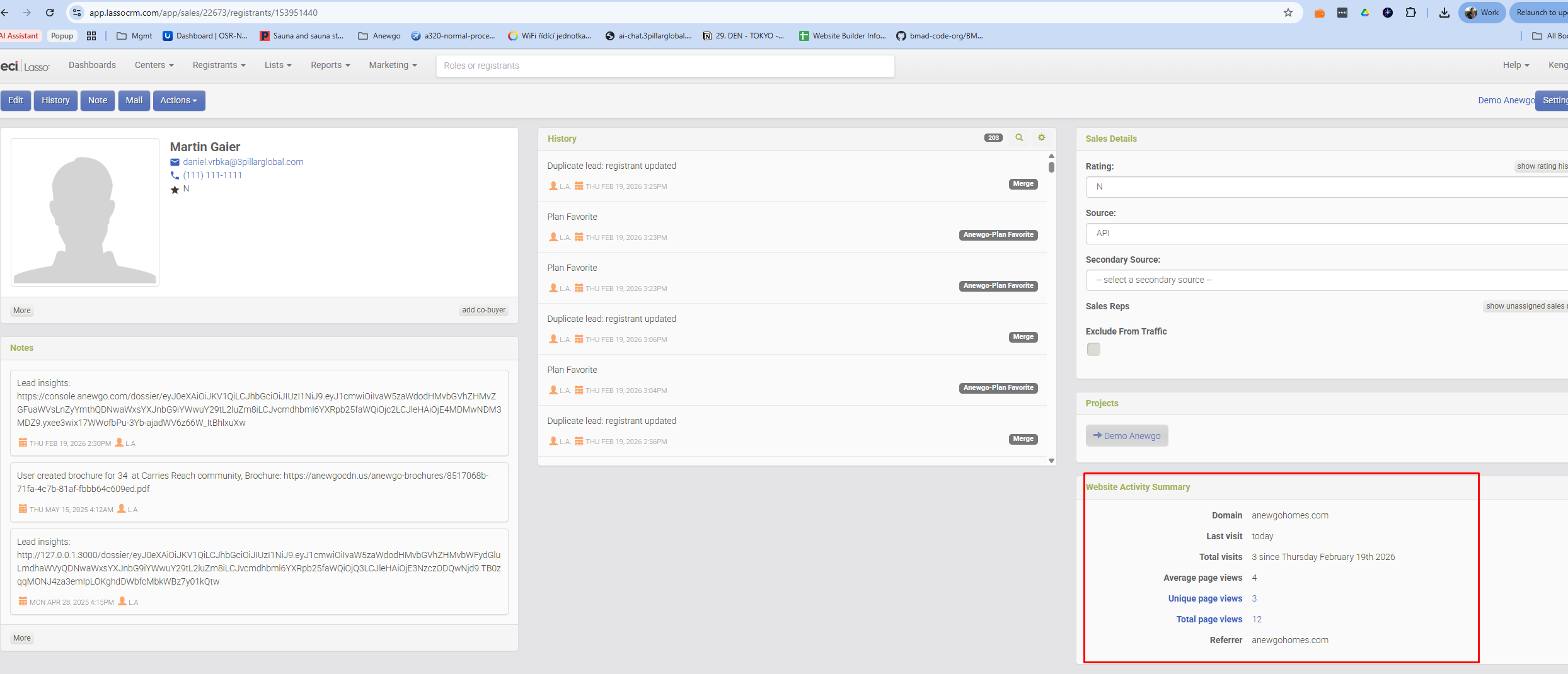
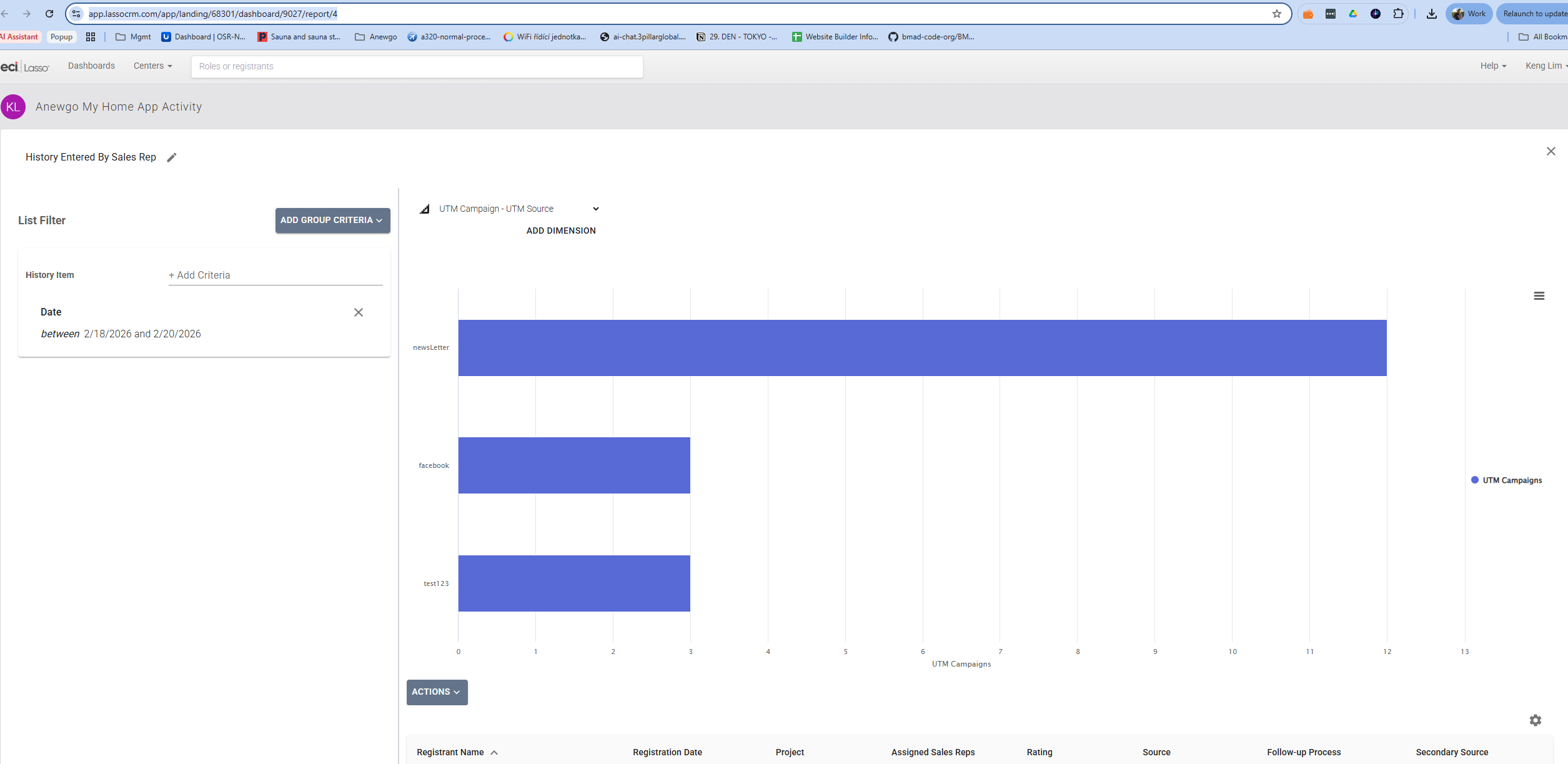
4. Your UTM Report should pull the data.